
The scene partner
in your pocket.
Run lines, memorize, and shoot your self-tape.
No reader, no studio, no waiting.
Just you, your sides, and your phone.
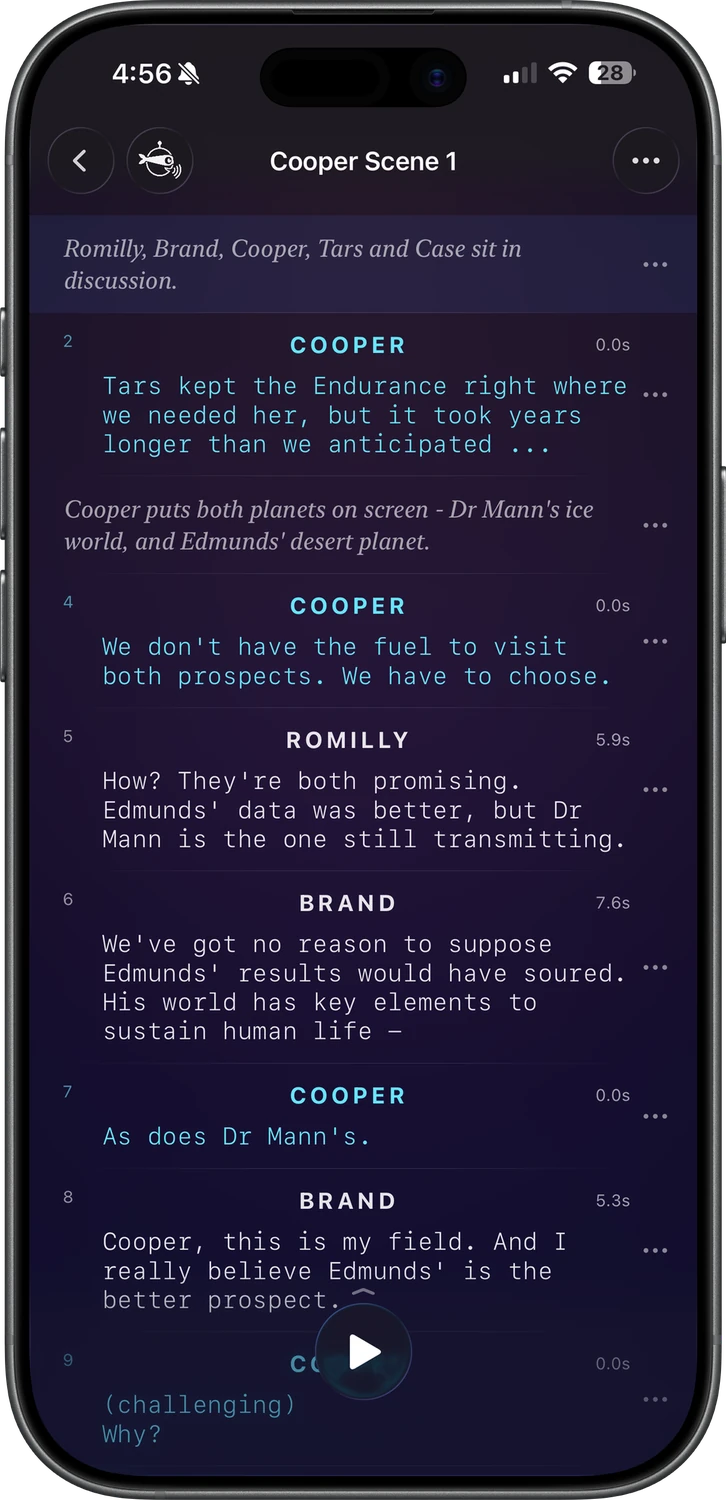
A rehearsal room, memorization aid, and self-tape studio that fits in your pocket, built by an actor who got tired of chasing readers.
Drop in your sides.
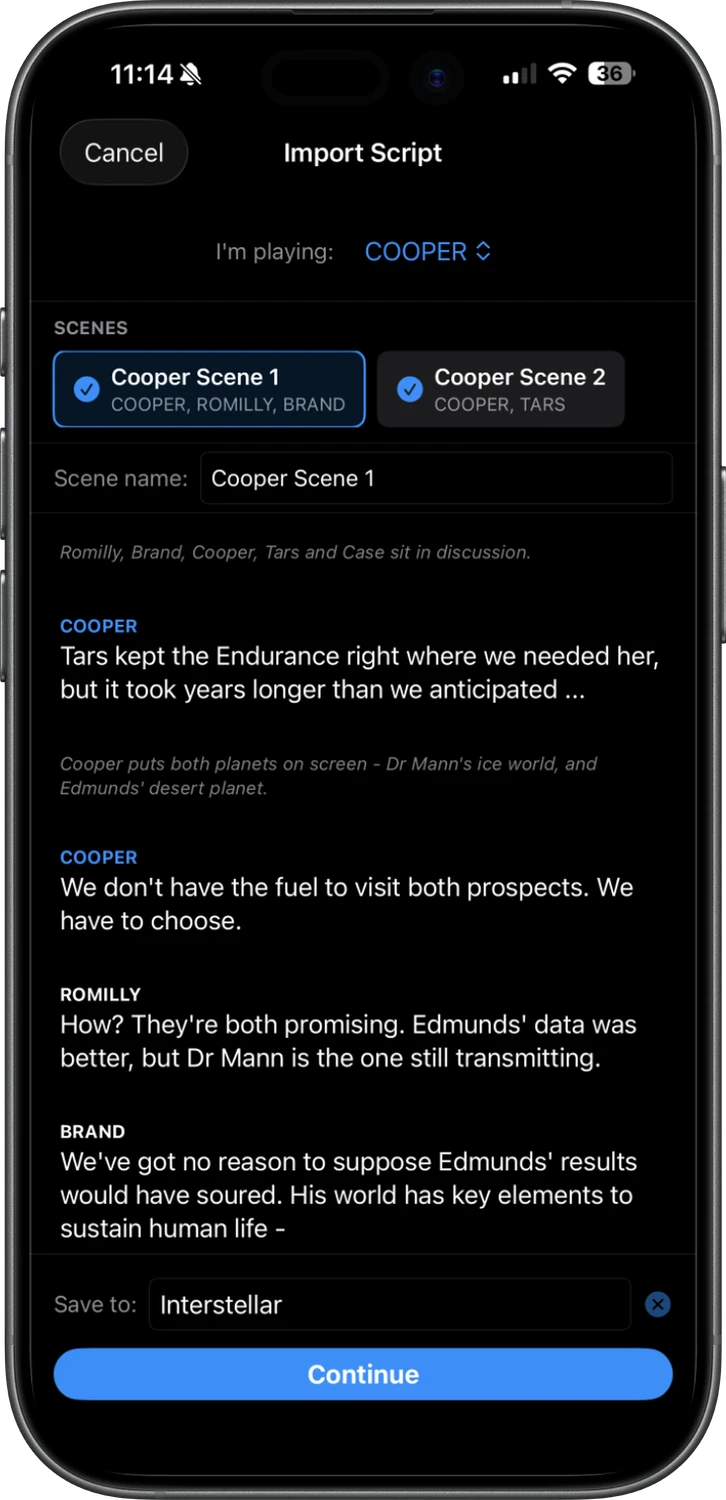
SideKick reads your audition sides and understands the difference between characters, dialogue, and stage direction. Similar apps can take 30+ minutes to add one scene by hand.
SideKick imports in about a minute.
No scene partner?
No problem.
Apply your performance to a Persona's voice. You read the other character's lines the way they should land, and SideKick gives them a voice distinct from your own.
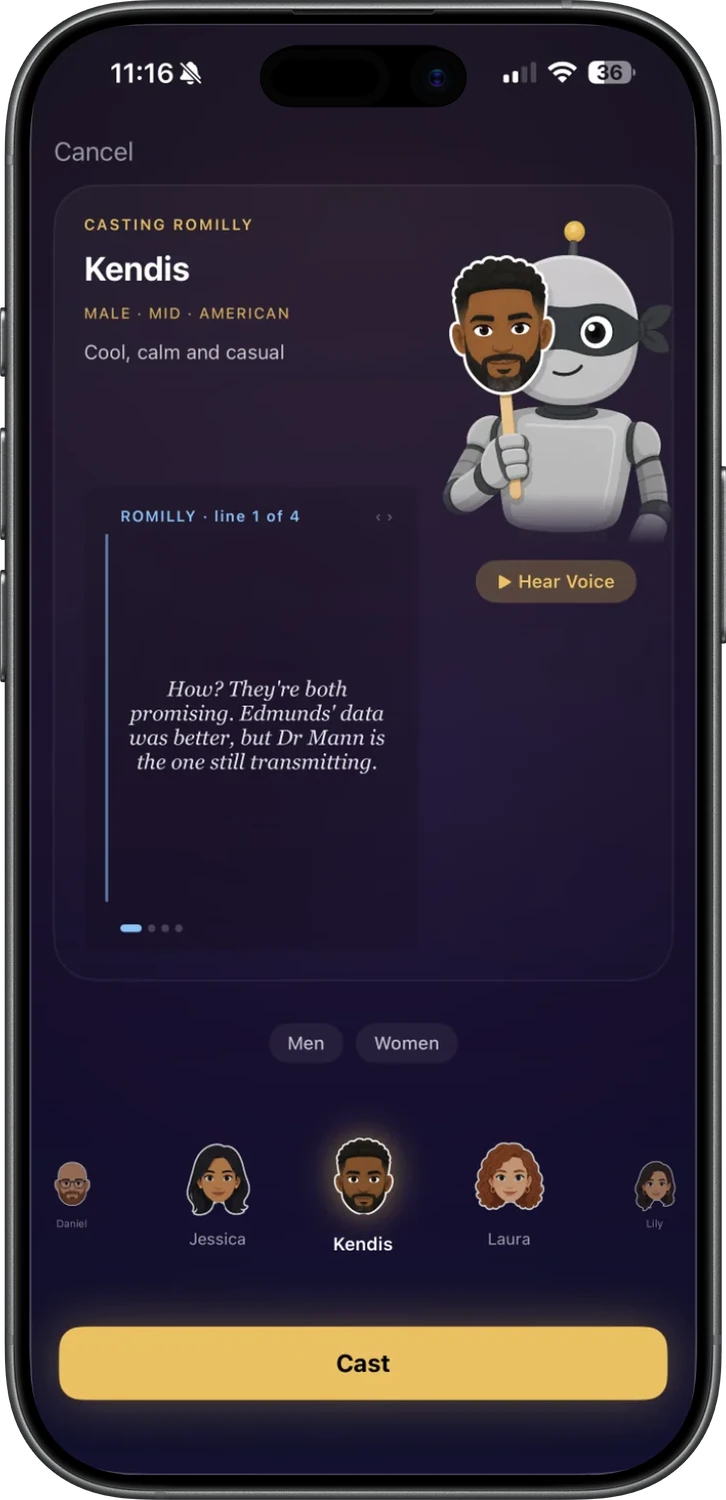
Voice the reader lines your way
Every character but yours needs a voice. Use your own, or a Persona's.
Record
Capture real audio in your own voice.
Direct The magic
Perform the lines yourself and hear them back in a Persona's voice.
Generate
Need to rehearse fast? Let a Persona generate their lines for you with the push of a button.
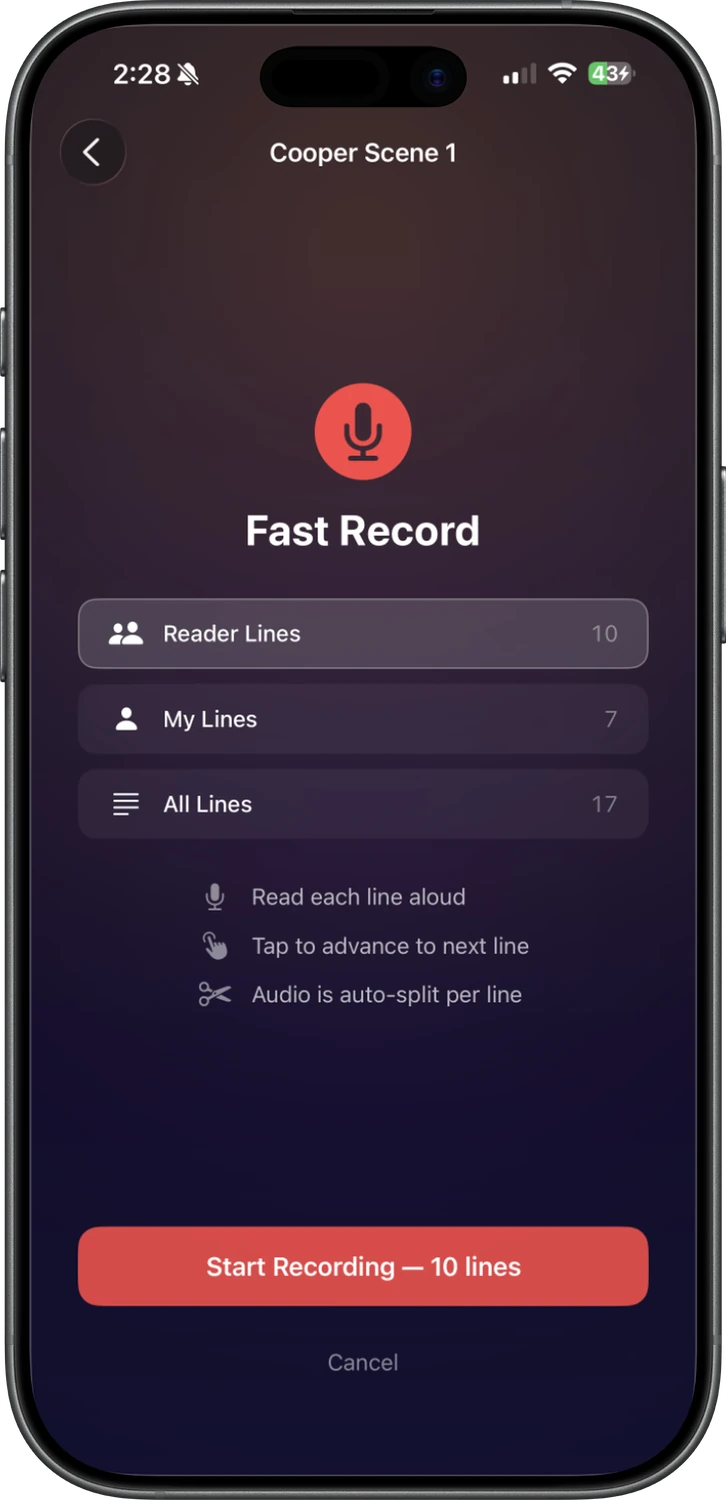
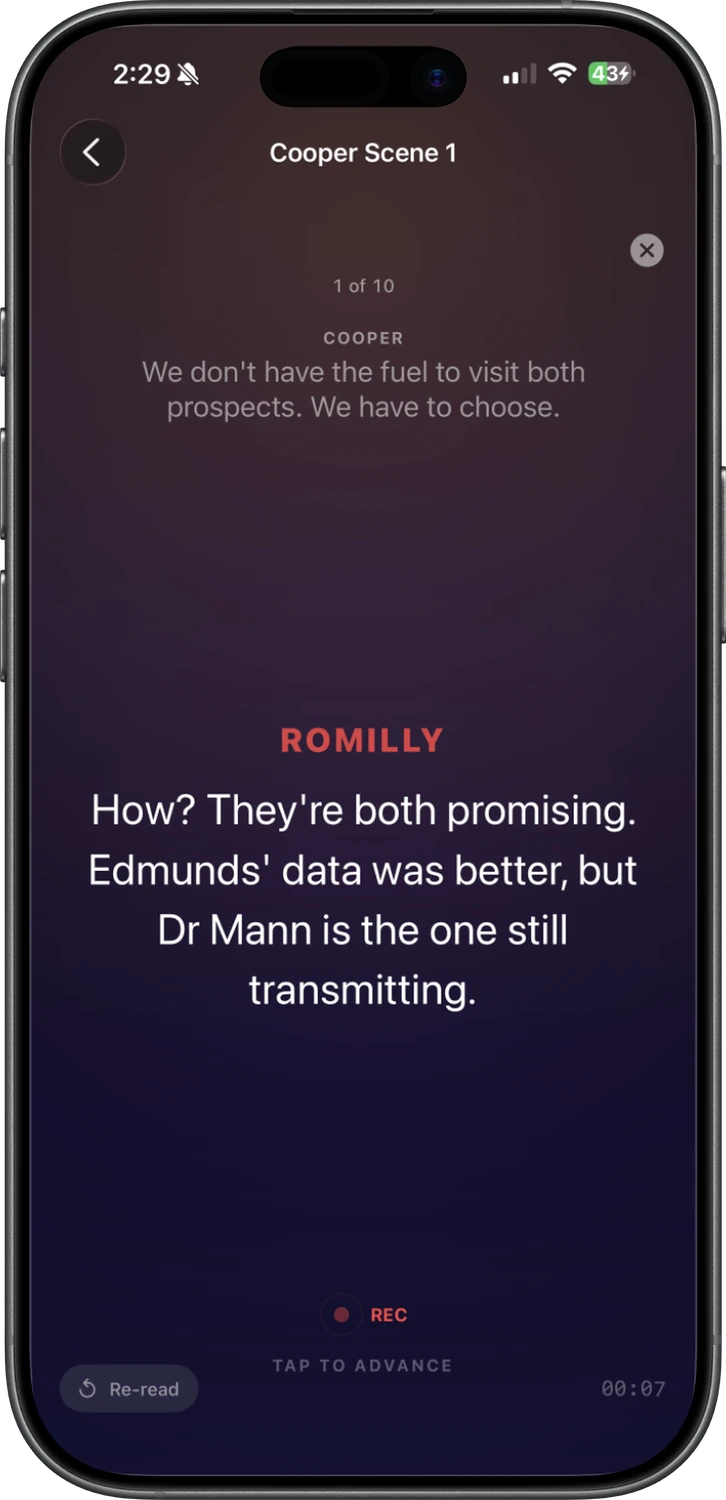
Record the reader in one pass.
Read the reader's lines aloud and tap through the scene. SideKick auto-splits your audio line by line, so every reader cue is ready to play back the moment you're done.
Run the scene your way
Three ways to move through a scene. Pick whatever keeps you in the moment.
Cue
SideKick listens for your cue line and plays the next one, just like a real reader.
Tap
Tap to advance on the screen itself, or from a distance with an Apple Watch or Bluetooth Shutter Remote.
Wait
Set the pace with timed pauses and let the scene run hands-free.
Everything you need to be off-book and on tape
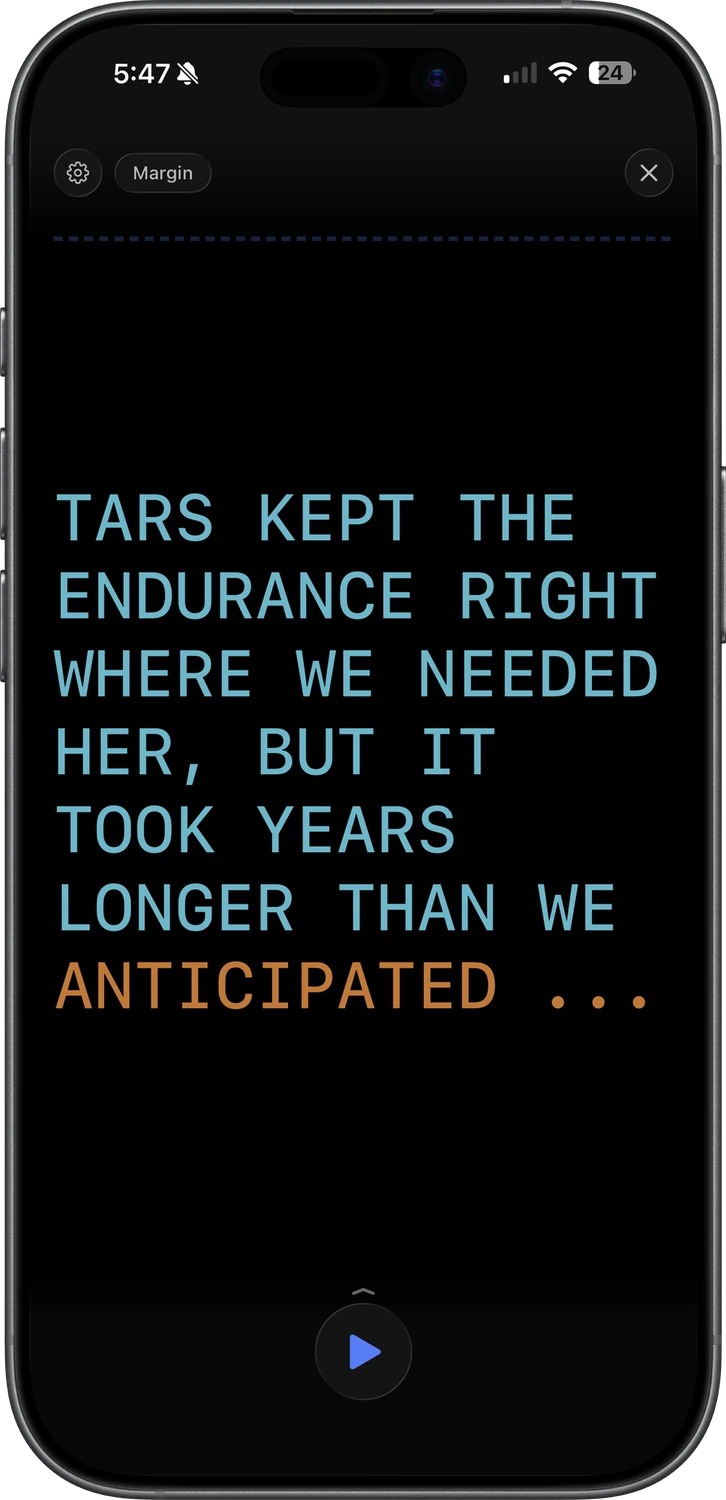
Built-in teleprompter
Big, readable lines that scroll at a steady pace you choose, follow along as you speak, or move with an Apple Watch dial.
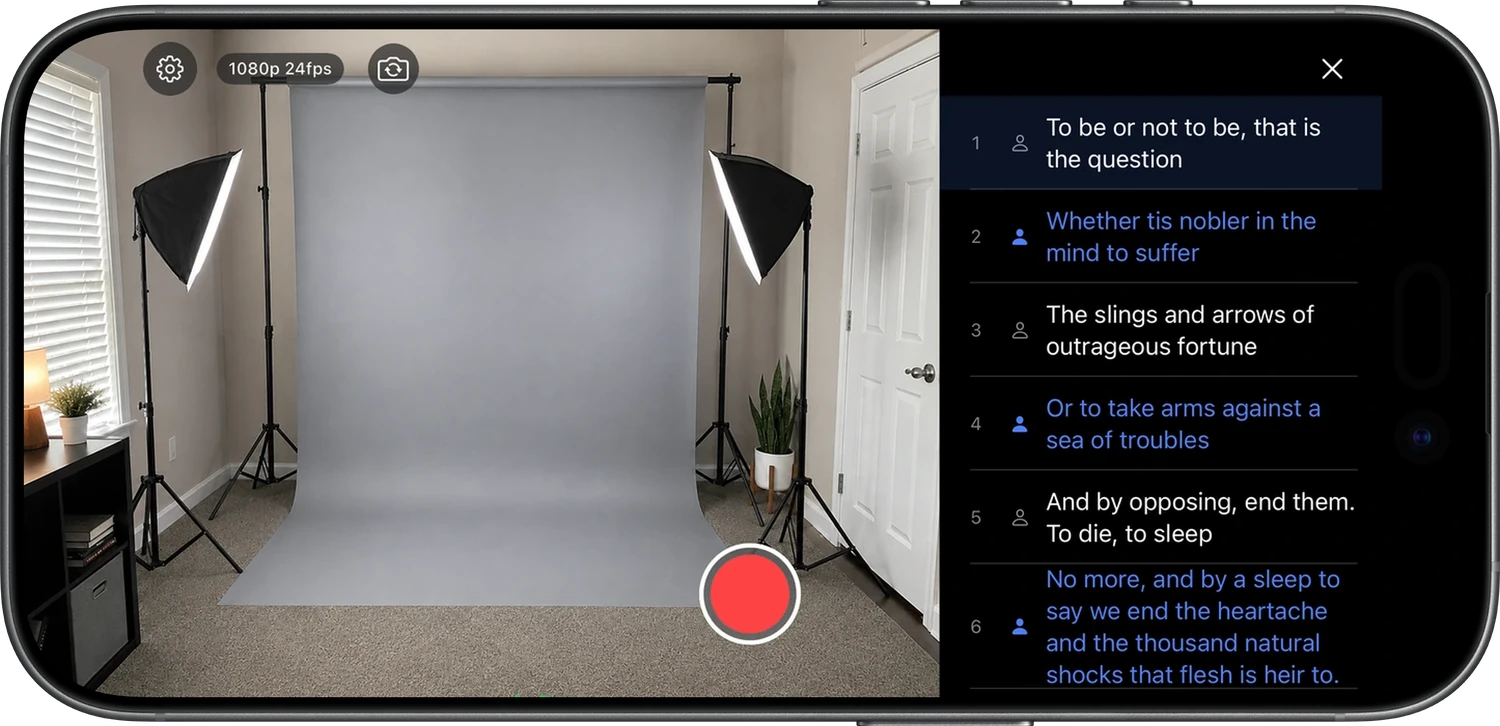
Your tape. Your time. Your terms.
Roll the camera and film against the reader. Camera and script, side by side.
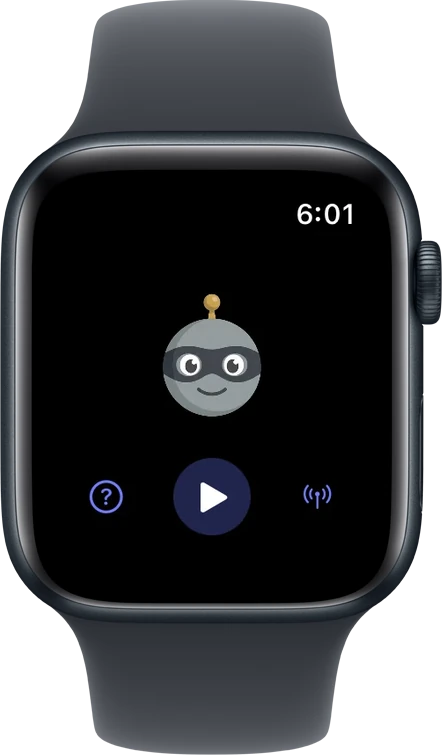
Apple Watch remote
Phone on the tripod, you in the frame. Play, pause, and advance from a distance.
From sides to self-tape in four steps
Import your sides
Drop in the PDF. Your scene is ready in seconds.
Add the reader
Give every other character a voice.
Record · Direct · Generate
Rehearse
Run it as many times as you need.
Cue · Tap · Wait
Self-tape
Roll the prompter, record, and send it off.
New to SideKick?
The guide walks you through every feature, step by step.
Rehearse your first scenes on the house.
SideKick Pro unlocks unlimited scenes and the full Persona voice library.
Every hero needs a SideKick
Drop your email and we'll tell you the moment SideKick hits the App Store.